
The Herbs Yin Yang online store offers you the following payment options:
- Credit card
- e-card
- PayPal
- Bank transfer
- Bancontact
- Apple Pay/Google Pay on mobile
- Amazon Pay
1) Credit card payments (Visa, Mastercard, Cartes Bancaires (CB), American Express, China UnionPay (CUP), Discover and Diners Club, eftpos Australia, Japan Credit Bureau (JCB)) are processed via the Stripe payment platform.
When you make your payment, you do not give us your bank details, you give them to the international payment platform Stripe. We do not know your bank details, only the last 4 digits of your card number.
Card numbers are encrypted and secured instantly and are not accessible to the merchant.
Stripe is a Level 1 PCI Service Provider. This is the most stringent level of certification in the payment industry.
To pay by credit card, simply enter your bank details in the form (see image below).
The CVC security code is the three digits printed on the back of your credit card.

To finalize payment for your order, check the box “I have read and accept the terms and conditions” and click on the “Order” button.
2) If you have a PayPal account, you can use it on the website to pay for your order. Simply click on “PayPal,” check the box “I have read and accept the terms and conditions,” and click on the yellow “Pay with PayPal” button.
Once you are redirected to their website, enter your username and password.

3) Bank transfer. Bank transfers from your bank’s website to countries within the European Union are normally free of charge (check with your bank).
Our bank account is in Belgium. SEPA transfers take 1-2 business days to reach us (the SEPA zone includes countries in the EU and EEA).
Select the “Bank Transfer” option during checkout, check the box “I have read and accept the terms and conditions,” then click on the “Order” button below. The page with our bank details will be displayed.
4) Payments with Bancontact
Select the “Bancontact” option during checkout, check the box “I have read and accept the terms and conditions,” then click on the “Order” button below. You will be redirected to the Bancontact website to enter your payment details.
5) Apple Pay / Google Pay
You can also pay with Apple Pay and Google Pay if you are using your phone to place your order.
6) Amazon Pay
Invoice
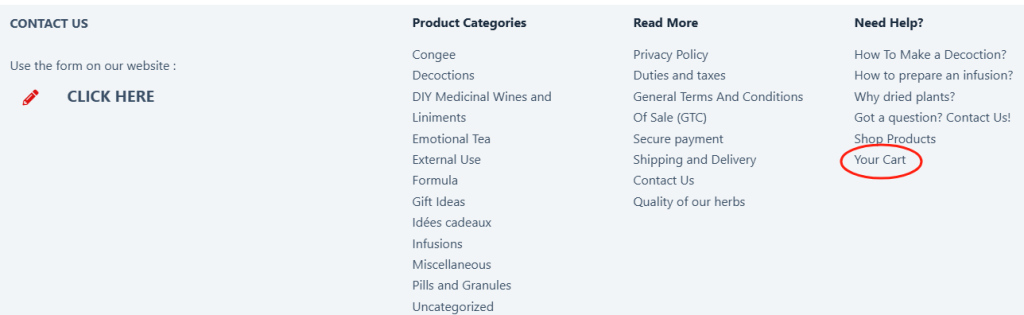
If you’d like an invoice, you can download one by going to your customer account (the link is at the bottom of every store page). See images below.

If you did not create a customer account when placing your order, please send us an email to request your invoice.